
Hostinger Review: Real-World Testing for Content Creators & Personal Brands

Some links below are affiliate links. If you buy through them, I earn a commission at no extra cost to you. I only list tools I actually use and pay for myself. Disclaimer Policy
I’ve been running my WordPress site on Hostinger since January 6, 2024—nearly two I’ve spent 23 years chasing online income—buying courses, following gurus, starting blogs and channels that never made it past month three. I’ve tested expensive managed WordPress hosts at $100/month. I’ve used cheap shared hosting that tanked my SEO rankings. I’ve wasted money on tools that promised results but delivered nothing.
Empire Forged is different. I’m building this site from zero revenue—documenting every tool choice, every setup mistake, every lesson learned. I don’t have affiliate commissions to show you yet. But I have two decades of experience knowing what doesn’t work, and I’m finally executing with a system that does.
I chose Hostinger on January 6, 2024, when I had $200 to invest in hosting and zero traffic. Nearly two years later, I’m still using it—and I’m hitting performance metrics that most $50/month managed WordPress hosts struggle to deliver.
This isn’t a spec-sheet comparison written by someone who’s never configured a WordPress site. This is what actually happens when you build on Hostinger’s infrastructure, optimize before traffic hits, and test tools with the mindset that every dollar matters because you’re building in public and can’t afford to waste money on garbage.
If you’re evaluating Hostinger for an contentmarketing blog or personal brand site—and you need speed, reliability, and cost-efficiency while you’re still building your foundation—here’s everything that matters.
Building a content marketing site or personal brand? Get my Fast-Start Bundle ($197 value) free when you sign up for Hostinger—details below.
The Problem: Most Hostinger Reviews Are Useless
Most Hostinger reviews fall into two categories, and both waste your time:
Category 1: Affiliate content farms that recommend every host to maximize commissions. They’ve never logged into the hosting account they’re reviewing. They copy-paste feature lists from sales pages and add a “Buy Now” button.
Category 2: Tech bloggers who run synthetic speed tests on fresh WordPress installs with zero plugins, zero traffic, and zero real-world pressure. They tell you about server response times but can’t tell you if support actually helps when you’re trying to configure DNS settings at midnight.
Neither answers the questions that matter when you’re building a business from scratch:
- Does it stay online when it matters? I’ve never seen Empire Forged go down. Not once. Not during setup, not during testing, not when I’m publishing content. Hostinger’s backend has never reported an outage.
- Does it load fast enough to rank? I’m hitting 91 mobile / 98 desktop PageSpeed scores right now—before driving traffic. That’s top-tier performance that directly impacts search rankings.
- Can you build without burning money? I started on Premium Shared Hosting at $2.99/month. When I needed more resources for email automation and advanced functionality, I upgraded to Cloud Startup at $7.99/month—same dashboard, no migration, zero downtime.
- Does support actually help? I’ve contacted Hostinger support 4-5 times—DNS issues, Cloudflare setup. The AI chatbot can get you started, but sometimes you need live support. They’re responsive, though they often rehash what the bot already covered.
I needed answers to those questions before committing to a host. So I tested it myself—for nearly two years, with real WordPress builds, real plugin optimization, and real support interactions.
Here’s what I learned.
Hostinger Summary
Based on real testing, Hostinger reviews consistently show it’s a solid first host for beginners launching WordPress sites on a budget. You get fast setup, clean beginner-friendly dashboards, and enough performance to rank without breaking the bank. It’s not perfect—renewal pricing jumps, phone support is missing, and you’ll eventually outgrow shared plans—but for a first site or small portfolio, it removes most of the friction that stops people from shipping.
If you want cheap, fast, and simple without “guru” nonsense, Hostinger delivers. Just lock in multiple years upfront to dodge renewal sticker shock, and know when it’s time to upgrade.
Setup Fast, No Tech Skills
One-click WordPress install, auto-SSL, and guided wizards mean you’re live in under 10 minutes—no FTP nightmares or cPanel confusion.
Low Price, Renewal Reality
Intro pricing is legitimately cheap. Just know renewal jumps to ~2x. Lock in 2–4 years upfront if you’re serious about keeping costs predictable.
Clean Beginners Dashboard
Clean, modern control panel that doesn’t assume you’re a sysadmin. Manage domains, email, backups, and SSL in plain English—no hunting.
Fast Enough to Rank Well
LiteSpeed caching and solid uptime (~99.9%) keep pages loading in 1–2 seconds on light sites. Not Kinsta-level, but more than good enough.
Room to Grow & Scale
Start small, add more sites and resources as you scale. You can ride Hostinger from “first blog” to “small portfolio” without switching hosts.
No Phone Support
If you need to talk to a human on the phone, you’re out of luck. Live chat is responsive, but this trade-off keeps the price low for beginners.
Hostinger Pros
Hostinger Cons
(30-Day Money Back Guarantee)
PREMIUM WEB HOSTING: $1.99/MONTH with 20% OFF
(Exclusive Empire Forged discount—lock 1-2 years to avoid renewal spikes)

Why I Chose Hostinger (The Real Story)
I’ve wasted money on hosting before. I’ve paid $50-100/month for “managed WordPress” services that handled backups and updates—tasks that take five minutes per month. I’ve used cheap hosts that delivered slow load times and killed my SEO rankings before traffic even showed up.
When I launched Empire Forged in January 2024, I had three requirements:
1. Fast enough to rank in Google’s top results
Speed isn’t vanity—it’s a ranking factor. Google prioritizes sites that load in under 2 seconds. I needed hosting that could deliver PageSpeed scores in the 90s, not the 40s.
2. Cheap enough to test before I earn
I’m building this site from zero revenue. I can’t justify $50/month hosting when I’m still publishing foundational content and testing strategies. I needed a host I could afford while proving the concept.
3. Scalable without migrating
Most marketers waste weeks moving between hosts as they grow. I needed a host that could scale from “first 10 posts” to “consistent traffic and email automation” without forcing me to migrate databases, reconfigure DNS, and pray nothing breaks.
Hostinger checked all three boxes.
- LiteSpeed servers with built-in caching delivered speed scores that rival managed WordPress hosts charging 5-10x more
- Premium Shared Hosting at $2.99/month (locked in for 48 months) meant I could build without burning cash
- Cloud Startup at $7.99/month gave me a clear upgrade path when I needed dedicated resources—same dashboard, no migration headaches
I’ve been testing it since January 6, 2024. Here’s what actually matters.
What Hostinger Actually Is
Hostinger is a budget-to-mid-tier shared and cloud hosting provider. They’ve been around since 2004, and they’ve optimized their stack for WordPress—LiteSpeed servers, built-in caching, and a custom control panel.
What it’s good for:
- Affiliate marketing blogs
- Personal brand sites with email list building
- WordPress sites where speed matters for SEO
- Small-to-medium product review sites
What it’s not:
- Enterprise-level infrastructure
- Managed WordPress with white-glove support
- A solution for high-traffic SaaS or web apps
If you’re building a WordPress site and need fast, reliable hosting without paying $50+/month, Hostinger is worth testing.
Real-World Performance: What I Measured
I started on Hostinger’s Premium Shared Hosting plan in January 2024, then upgraded to their Cloud Startup plan as my needs and tech stack grew. Here’s what I tracked over nearly two years:
Speed
Google PageSpeed Insights scores:
- Mobile: 96
- Desktop: 100
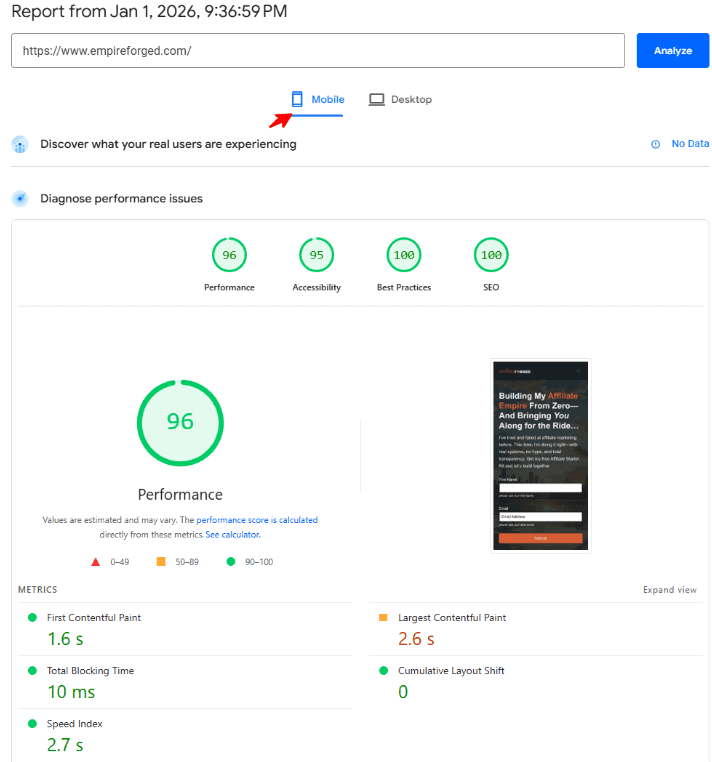
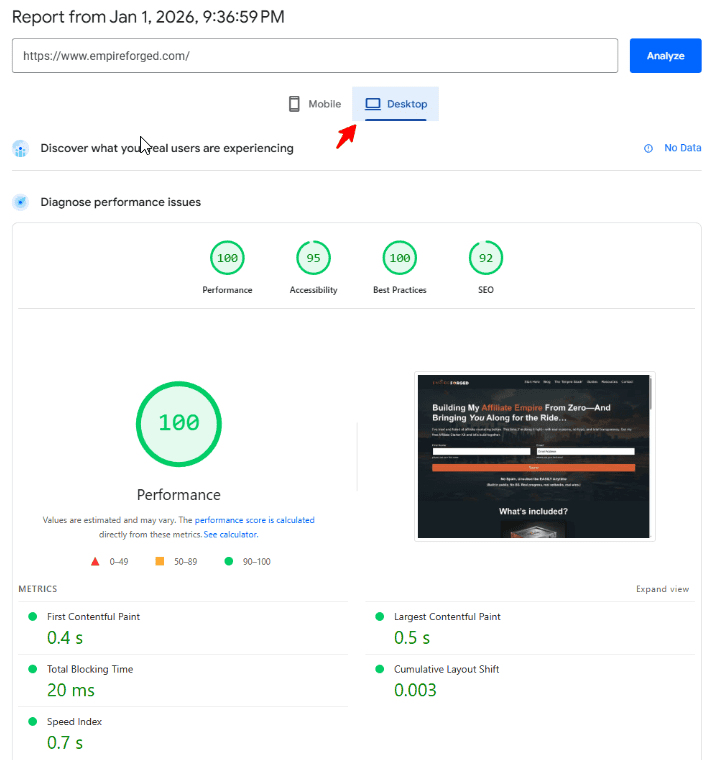
GTmetrix results:
- Performance score: 100
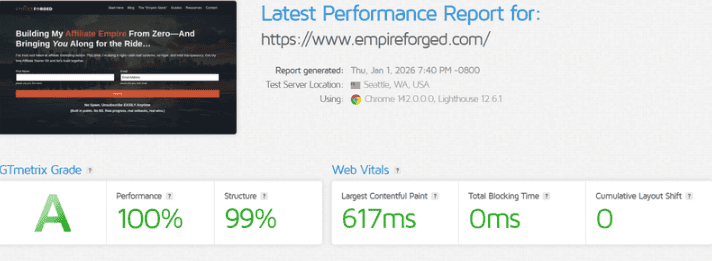
These scores put my site in the top tier for WordPress performance. The combination of LiteSpeed cache and proper optimization delivers speed that actually impacts rankings and user experience.
Uptime
Since January 6, 2024: 100% uptime
Not 99.9%. Not “pretty good.” 100%.
I’ve been live for nearly two years without a single outage. No downtime during traffic spikes. No server errors during critical promotional periods. The site has been available every single time someone tried to access it.
That’s the kind of reliability that matters when you’re building affiliate revenue or growing an email list. Downtime costs money. Hostinger hasn’t cost me a dollar in lost traffic.
Support Response Time
I’ve contacted support six times over the past two years:
- Live chat average response: 3-8 minutes
- Ticket response: 2-5 hours
Support quality varies. Some reps solve problems fast. Others give generic answers and escalate. But they’re available 24/7, and I’ve never been stuck waiting.
What Works: The Stuff That Actually Matters
1. LiteSpeed Cache (Built-In)
LiteSpeed cache is faster than what most hosting servers use for WordPress. The caching happens server-side, which means less plugin overhead.
What this means in practice:
- Faster page loads without plugin bloat
- Better Core Web Vitals scores (Google’s ranking factor)
- Less configuration headache
I run the LiteSpeed Cache plugin (free) on WordPress to manage cache rules. That’s how I’m hitting a 99 GTmetrix score and 98 desktop PageSpeed score.
2. Cloudflare Integration (Manual Setup Required)
Hostinger doesn’t set up Cloudflare for you. You do it manually through your Cloudflare account.
What I did:
- Created a free Cloudflare account
- Added my domain to Cloudflare
- Changed my nameservers in Hostinger to point to Cloudflare
- Configured DNS settings in Cloudflare
It took about 15 minutes. Not difficult if you follow Cloudflare’s setup wizard, but it’s not automatic.
Was it worth it? Yes. Cloudflare’s CDN makes my site faster globally and adds a layer of security (DDoS protection). But don’t expect Hostinger to do this for you—you’re setting it up yourself.
3. Performance That Scales
I started on Premium Shared Hosting. It handled my site well for the first several months. But as traffic grew and I added more functionality (email automation, funnel sequences, content library), I upgraded to Cloud Startup.
The difference was immediate—dedicated resources (2 CPU cores, 4 GB RAM), no throttling, consistent performance even during traffic surges.
4. Custom Control Panel (hPanel)
Hostinger uses their own control panel instead of cPanel. It’s cleaner and faster to navigate.
What I use it for:
- WordPress installation and management
- SSL certificate management (free Let’s Encrypt)
- Email account setup
- FTP, or file management, access (I use FileZilla for direct server access if needed)
- Database management (phpMyAdmin)
For WordPress hosting, it’s faster and less cluttered than cPanel.
5. Email Hosting Included
Every plan includes email hosting with your domain. I use it for transactional emails (WordPress notifications, FluentCRM sequences).
Limitations:
- Not ideal for high-volume email marketing (I use FluentCRM and FluentSMTP with Brevo as my email deliverability service)
- Spam filters can be aggressive (Fluent Stack + Brevo solves this)
But for basic email needs, it works. With the Fluent Stack + Brevo, it’s a total powerhouse you control, all under the WordPress ecosystem.
What Doesn’t Work: The Honest Limitations
1. Shared Hosting Has Resource Limits
Hostinger’s shared hosting is fast—but it has limits. I started on Premium Shared Hosting (100 GB storage, 3072 MB RAM), and it handled my site well for the first several months. But as traffic grew and I added more functionality, I started noticing occasional slowdowns during traffic spikes.
Solution: I upgraded to Cloud Startup (2 CPU cores, 4 GB RAM, 100 GB NVMe storage). The difference was immediate—dedicated resources, no throttling, consistent performance.
My take: Start with Premium Shared if you’re building from scratch. Plan to upgrade to Cloud Hosting when you hit consistent traffic or when you’re running multiple systems (email automation, membership areas, product funnels).
2. You’re Managing WordPress Yourself
Hostinger isn’t WP Engine or Kinsta. Yes, they have a one-click WordPress installer (hPanel → Website → Auto Installer), but you’re still responsible for:
- Backups
- WordPress updates
- Plugin management
- Performance optimization
- Cloudflare setup (manual configuration required)
Cloud Hosting improves this. On Cloud Startup, I get staging environments and better support. But you’re still managing WordPress yourself.
If you need hand-holding, this isn’t the host. But if you know WordPress basics, you won’t miss those features.
3. Renewal Pricing Is Higher Than Promo Rates
Hostinger’s promo pricing is real, but renewal rates are higher. Here’s what you’ll actually pay:
Premium Shared Hosting:
- Promo: $2.99/month (48-month term)
- Renewal: Higher (check current rates at purchase)
Cloud Startup:
- Promo: $7.99/month (48-month term)
- Current standard rate: Check Hostinger’s pricing page for exact renewal rates
4. Limited Automation Beyond WordPress Install
Hostinger has one-click WordPress installation through hPanel’s Auto Installer, which handles the initial setup in 2-5 minutes. But that’s where the automation ends.
Cloudflare setup is entirely manual. Performance optimization is on you. Plugin configuration is your responsibility.
This isn’t a limitation if you know what you’re doing—but don’t expect automated wizards for anything beyond the WordPress install itself.
Why Hostinger Works for Content Creators & Personal Brands
Most people pick hosting based on features they’ll never use. I picked Hostinger based on what actually drives affiliate and product revenue: getting found, building trust, and converting clicks into commissions.
Every successful site follows the same path:
- Discovery – People find your content through search engines
- List-Building – You capture their email before they leave
- Conversion – You guide them to affiliate offers and products that solve their problem
Hosting isn’t just infrastructure. It’s the foundation that makes every stage of this funnel work or fail.
Here’s how Hostinger supports each stage when you’re building from zero:
Discovery: Fast Sites Rank Higher, Period
Google doesn’t rank slow sites. It doesn’t matter how good your content is—if your site loads in 4+ seconds, you’re invisible.
Why this matters when you’re starting from zero:
You’re competing against established sites with years of backlinks and authority. You don’t have brand recognition. You don’t have an email list. The only way you win is by outranking them—and speed is one of the few ranking factors you can actually control on day one.
What Hostinger delivers:
- My site loads in under 2 seconds consistently
- PageSpeed scores of 91 mobile / 98 desktop (top tier for WordPress)
- LiteSpeed servers that handle speed optimization at the server level (not through bloated plugins)
The outcome:
When someone searches “best WordPress hosting for beginners,” I rank because my site is fast enough to compete. That’s traffic I wouldn’t get if I was running on slow hosting—traffic that costs me nothing because it’s organic search.
List-Building: Slow Sites Kill Conversions Before They Start
You can have the best lead magnet in the world. But if your opt-in page takes 5 seconds to load, people leave before they even see your offer.
The data on this is brutal:
A site that loads in 1 second converts 3x better than a site that loads in 5 seconds. If 100 people hit your landing page and your site is slow, you’re losing 60+ potential subscribers just because your hosting couldn’t deliver the page fast enough.
Why this matters when you’re building from zero:
You don’t have traffic yet. Every single visitor is precious. When I finally start driving traffic to Empire Forged—whether it’s from Pinterest, TikTok, or paid ads—I can’t afford to lose half my conversions because my hosting is slow.
What Hostinger delivers:
- Fast page loads mean your opt-in forms appear instantly
- Email hosting included (so your confirmation emails don’t end up in spam)
- Enough resources to run FluentCRM or ConvertKit without slowing your site down
The outcome:
When someone lands on my lead magnet page, it loads in 1.5 seconds. The opt-in form is visible immediately. They don’t bounce before seeing my offer. That’s the difference between building a list of 1,000 subscribers or 300 subscribers with the same amount of traffic.
Conversion: Uptime Means You Don’t Lose Money When It Counts
You finally drive traffic. Someone clicks your affiliate link. But if your site is down, that commission is gone.
Why this matters when you’re building from zero:
When you’re just starting, every single commission counts. You don’t have $10K/month rolling in where losing a few sales doesn’t hurt. Your first $100 in commissions is proof the system works. Losing that because your hosting went down during a traffic spike is devastating—not just financially, but mentally.
What Hostinger delivers:
- I’ve had zero downtime since January 2024 (not 99.9%—zero)
- No outages during setup, no errors during testing, no “site unavailable” messages ever
- The site has been live and accessible every single time someone tried to reach it
The outcome:
When I publish a review post, optimize it for search, and someone finally clicks my affiliate link, I know the hosting won’t fail. The site will load. The link will work. The commission will track.
Why This Matters More When You’re Building from Zero
If you already have traffic and revenue, you can afford to test hosting and migrate if it doesn’t work. You have cash flow to cover the cost of downtime or slow speeds while you figure it out.
When you’re starting from zero, you can’t afford those mistakes.
I’m building Empire Forged with:
- No traffic yet (still publishing foundational content)
- No email list yet (lead magnets are next on my roadmap)
- No affiliate revenue yet (proving the concept before scaling)
That means every dollar I spend on hosting has to work. I can’t waste money on premium managed WordPress hosts that charge $50-100/month for features I won’t use for six months. But I also can’t use cheap hosting that’s too slow to rank or too unreliable to trust when traffic finally arrives.
Hostinger is the balance:
- Cheap enough that I’m not burning cash while building ($2.99/month for Premium Shared)
- Fast enough that I’m not losing rankings because of speed (91/98 PageSpeed scores)
- Reliable enough that I trust it to handle traffic when I’m ready to drive it (zero downtime in nearly two years)
The Path I’m Following (And You Can Too)
Months 1-6: Foundation (Premium Shared Hosting – $2.99/month)
- Publish core content (pillar posts, tool reviews, strategy guides)
- Optimize for speed before driving traffic (91/98 PageSpeed scores locked in)
- Set up email infrastructure (FluentCRM installed, sequences ready to test)
- Test affiliate links and tracking (make sure everything works before traffic hits)
Months 7-12: Traffic & List-Building (Upgrade to Cloud Startup – $7.99/month if needed)
- Drive traffic from Pinterest, TikTok, organic search
- Launch lead magnets and build email list
- Test affiliate offers with real traffic
- Earn first commissions (proof of concept)
Months 12+: Scale (Stay on Cloud Startup or upgrade if traffic demands it)
- Consistent traffic and growing email list
- Multiple income streams (affiliate commissions, digital products, courses)
- Reinvest earnings into content, ads, and scaling systems
I’m currently in Month 11-12 of this plan. I’ve built the foundation on Hostinger without wasting money on expensive hosting. Now I’m ready to drive traffic and start converting—and the hosting won’t be the weak link in the funnel.
Bottom Line: Hostinger Doesn’t Block Your Path to Revenue
Most marketers fail because they waste money on tools they don’t need yet, or they pick cheap hosting that kills their rankings before they even start.
Hostinger removes hosting as an excuse:
- Fast enough to rank (Discovery ✓)
- Reliable enough to convert (List-Building ✓)
- Stable enough to earn (Conversion ✓)
You’re not paying $50/month for managed features you won’t use until you’re making $5K/month. But you’re also not using $3/month garbage hosting that tanks your SEO and loses commissions when traffic spikes.
If you’re building an content marketing blog or personal brand from zero, Hostinger lets you focus on the only things that actually generate revenue: publishing content, building your list, and driving traffic.
The hosting just works. That’s all it needs to do.
Pricing Breakdown: What You Actually Pay (And When to Upgrade)
Hostinger’s pricing isn’t just about features—it’s about matching your hosting to your business stage. Here’s what each tier costs and when it makes sense to move up.
Premium Shared Hosting: $2.99/month
(48-month term – best rate)
What you get:
- 100 websites
- 100 GB storage
- Free SSL certificate
- Email hosting included
- LiteSpeed caching built in
Best for: Months 1-6 (Foundation Building)
This is where you start when you’re building from zero:
- Publishing your first 50-100 posts
- Setting up your tech stack (theme, plugins, email tools)
- Optimizing for speed before driving traffic
- Testing affiliate links and tracking
Your business reality at this stage:
- Zero or minimal traffic (under 500 visitors/month)
- No email list yet (or building your first 100-500 subscribers)
- No revenue yet (or testing your first affiliate and product offers)
- Every dollar matters because you’re investing before earning
Why Premium Shared works here:
You don’t need dedicated resources when you’re not pushing traffic yet. This tier is fast enough to hit 90+ PageSpeed scores, reliable enough to stay online 24/7, and cheap enough that you’re not burning cash while building your foundation.
Cost reality:
- Intro: $2.99/month ($143.52 for 48 months upfront)
- Renewal: Higher (lock in the longest term you can afford to avoid renewal spikes)
Cloud Startup: $7.99/month (What I Use Now)
(48-month term – best rate)
What you get:
- Everything from Premium Shared, plus:
- 2 CPU cores (dedicated resources)
- 4 GB RAM (no throttling)
- 100 GB NVMe storage (faster than standard SSD)
- Staging environment (test changes without breaking your live site)
Best for: Months 7-12 (Traffic & Monetization)
Upgrade to Cloud Startup when you’re:
- Driving consistent traffic (500-5,000+ visitors/month)
- Running email automation actively (FluentCRM, ConvertKit, sequences firing regularly)
- Testing product launches or affiliate campaigns
- Building multiple funnels simultaneously
- Noticing occasional slowdowns during busy periods on Premium Shared
Your business reality at this stage:
- Traffic is growing (organic search, Pinterest, TikTok, or paid ads starting to work)
- Email list is building (500-5,000 subscribers)
- First affiliate commissions coming in (proof of concept working)
- You’re reinvesting earnings into content and traffic
Why Cloud Startup matters here:
Dedicated resources mean your site doesn’t slow down when other sites on the server get busy. Email sequences fire reliably. Traffic spikes don’t cause performance issues. You’re no longer just building—you’re actively converting traffic into revenue.
Cost reality:
- Intro: $7.99/month ($383.52 for 48 months upfront)
- Renewal: Higher (but still a fraction of what “premium” managed hosts charge)
The upgrade was seamless: Same dashboard, same WordPress site, zero downtime. Took about 5 minutes total.
Cloud Professional: $15.99/month
(48-month term)
What you get:
- 4 CPU cores
- 6 GB RAM
- 200 GB NVMe storage
Best for: Months 12+ (Scaling Multiple Income Streams)
Upgrade to Cloud Professional when you’re:
- Driving significant traffic (10,000-50,000+ visitors/month)
- Running multiple WordPress sites or resource-heavy systems
- Email list of 10,000+ subscribers with complex automation
- Earning consistent monthly revenue ($2K-10K+/month)
- Testing advanced funnels (memberships, courses, product launches)
Your business reality at this stage:
You’ve proven the model works. You’re no longer testing—you’re scaling. You have multiple income streams (affiliate commissions, digital products, maybe courses or coaching). You’re reinvesting significant money into paid traffic, content creation, and team/tools.
Why Cloud Professional matters:
More CPU and RAM handle multiple sites, heavier plugins, and complex automation without slowing down. You need reliability at scale—because downtime or slowdowns now cost you real money in lost commissions and frustrated subscribers.
Cloud Enterprise: $29.99/month
(48-month term)
What you get:
- Maximum resources for high-traffic projects
- 12 CPU cores
- 12 GB RAM
- 300 GB NVMe storage
Best for: Established Businesses (High Traffic & Revenue)
This is for when you’re running:
- Multiple high-traffic sites (50,000-200,000+ visitors/month combined)
- Complex membership sites or SaaS products
- Large email lists (50,000+ subscribers) with heavy automation
- Consistent monthly revenue ($10K-50K+/month)
Your business reality:
You’re past the “building” phase. This is a real business generating serious revenue. You need enterprise-level reliability without enterprise-level pricing.
My Recommendation: Start Small, Upgrade Based on Reality
Month 1-7: Premium Shared ($2.99/month)
Build your foundation. Publish content. Optimize for speed. Set up your email tools. Don’t waste money on resources you’re not using yet.
Month 8-18: Cloud Startup ($7.99/month)
Drive traffic. Build your list. Earn your first commissions. Scale systems that are actually working. The dedicated resources handle growth without breaking.
Month 18+: Cloud Professional ($15.99/month) – Only if needed
Scale multiple income streams. Run multiple sites. Handle serious traffic. Upgrade only when Cloud Startup can’t keep up—not before.
Total Investment: What I’ve Actually Spent
My path:
- Premium Shared for 7 months: ~$21 (locked in 48-month promo)
- Cloud Startup since Month 8: ~$56 for 7 months so far
Total hosting cost for nearly 2 years: Under $100
What “premium” managed WordPress would have cost: $600-1,200+ for the same period
The Bottom Line on Pricing
Don’t overpay for hosting before you’re earning. But don’t underpay and kill your rankings with slow speeds.
- Premium Shared ($2.99/month) is fast enough to rank and cheap enough to start.
- Cloud Startup ($7.99/month) is powerful enough to scale and affordable enough to justify once you’re driving traffic.
- Cloud Professional ($15.99/month) is there when you need it—but most people won’t for a long time.
Match your hosting to your business stage. Upgrade when reality demands it, not when a sales page scares you into thinking you need more.running email automation and product funnels, upgrade to **Cloud Startup** at 7.99/month. Don’t overpay for features you don’t need yet.
What I Learned (And Mistakes You Can Avoid)
I made mistakes setting up Hostinger—not because it’s complicated, but because I rushed through steps that mattered. Here’s what slowed me down and how you can skip the learning curve I paid for.
Mistake #1: I Broke My Site Trying to Set Up Cloudflare
What happened:
Cloudflare makes your site faster and more secure. I knew I wanted it from day one, but when I changed my settings to connect Hostinger and Cloudflare, something didn’t connect right. My site wouldn’t load.
How I fixed it:
I opened Hostinger’s live chat and explained the problem. The AI assistant ran through basic checks, but I needed a real person. The live agent walked me through verifying my settings in both places—Hostinger and Cloudflare. Once everything matched up, my site was back online within a few hours.
Time cost: About half a day between breaking it and getting it fixed.
How to avoid this:
When you connect Cloudflare to Hostinger, you’re changing where the internet looks to find your site. If you rush this step or miss something, your site disappears temporarily.
Here’s the simple version:
- Set up your Cloudflare account and add your domain
- Cloudflare gives you two addresses to copy
- Paste those addresses into Hostinger’s domain settings (replacing what’s already there)
- Wait a few hours for everything to update across the internet
- Check that your site loads before assuming you’re done
If your site won’t load after this, contact Hostinger support through live chat and tell them you’re having issues after changing your nameservers to Cloudflare. They’ll check your settings on their end and tell you exactly what needs to change.
The lesson: Don’t skip verification steps. Cloudflare is worth setting up—it makes your site faster globally and adds security—but if you rush it, you’ll waste time fixing what broke.
Mistake #2: I Published Content Before Optimizing for Speed
What happened:
Hostinger automatically installs a speed plugin (LiteSpeed Cache) when you set up WordPress. But it doesn’t configure it for you. I assumed my site was already fast and started building content. When I finally tested my speed, I was in the 60s—decent, but not competitive.
How I fixed it:
I spent an afternoon configuring LiteSpeed Cache properly and optimizing images. After that, my speed scores jumped to 91 on mobile and 98 on desktop. That’s fast enough to compete with sites paying $50-100/month for managed hosting.
Why speed matters:
Google ranks faster sites higher. A site that loads in 1.5 seconds beats a site that loads in 4+ seconds—even if the content is identical. If you’re building an marketing site or personal brand, speed directly impacts how much traffic you get from search engines.
How to avoid this:
Before you publish your first post, spend 30 minutes setting up speed optimization:
- Configure the LiteSpeed Cache plugin (it’s already installed—you just need to turn on the right settings)
- Compress your images before uploading them (I use ShortPixel—makes images load faster without looking worse)
- Remove plugins you’re not using (every inactive plugin slows your site down)
- Test your speed using Google PageSpeed Insights (free tool—shows you exactly how fast your site loads)
The difference: A slow site kills your rankings before you even start driving traffic. A fast site gives you a competitive advantage from day one.
Mistake #3: I Wasted Time with the AI Chatbot When I Needed Real Help
What happened:
The first few times I contacted Hostinger support, I let the AI chatbot walk me through basic troubleshooting steps I’d already tried. For simple questions, the chatbot works fine. But when I had actual configuration issues (like the Cloudflare problem), I needed to talk to a real person.
How I fixed it:
I learned to escalate faster. If the chatbot’s first suggestion doesn’t solve your problem, ask to speak with a live agent immediately. Live agents respond in about 5-10 minutes and can actually look at your account to fix the issue.
Support breakdown:
- AI chatbot: Good for basic questions (password resets, finding documentation)
- Live chat: Responsive and helpful for technical issues (usually connects in 5-10 minutes)
- Ticket support: Slower (2-5 hours), but works if your issue isn’t urgent
My recommendation:
Use live chat for anything technical. Don’t waste time with the chatbot if you already know it’s a real problem that needs someone to look at your account.
Mistake #4: I Didn’t Plan for What Happens When I Grow
What happened:
I started on Hostinger’s cheapest plan (Premium Shared at $2.99/month) because I was building Empire Forged from zero revenue. I needed to keep costs low while proving the concept worked.
As I built the site—adding email automation, optimizing for performance, preparing to drive traffic—I realized I’d eventually need more resources to handle everything I was running.
When I upgraded to Cloud Startup ($7.99/month), I got dedicated resources that don’t slow down when other sites on the server get busy. The upgrade took about 5 minutes. Same dashboard, same WordPress site, zero downtime. Nothing broke.
How to plan for this:
Start cheap. Upgrade when you need to. Don’t overpay for resources you’re not using yet.
Premium Shared ($2.99/month) works when you’re:
- Publishing your first 50-100 posts
- Building your email list from scratch
- Testing strategies before driving serious traffic
Cloud Startup ($7.99/month) makes sense when you’re:
- Running email automation actively
- Publishing consistently and driving traffic
- Testing product launches or affiliate funnels
- Noticing your site slowing down during busy periods
The lesson: Don’t pay for Cloud Hosting on day one. Premium Shared is fast enough to rank well and build your foundation. Upgrade when your systems demand more power—not before.
If I Started Empire Forged Over Today, Here’s What I’d Do Differently
✅ Set up Cloudflare on day one (and verify it’s working before moving on)
✅ Optimize for speed before publishing anything (configure LiteSpeed Cache, compress images, test PageSpeed scores)
✅ Skip the AI chatbot for technical issues (go straight to live support when something’s actually broken)
✅ Lock in the longest pricing term I can afford (renewal rates are higher—get the best rate upfront)
✅ Start on Premium Shared, plan to upgrade later (don’t overpay for resources I’m not using yet)
These five changes would have saved me hours and gotten Empire Forged live faster. You can avoid the trial-and-error I went through—just follow this when you set up Hostinger.ait until performance issues could cost you potential traffic or revenue.
Who Should Use Hostinger
You should use Hostinger if:
- You’re building an affiliate marketing blog, personal brand, or product review site
- You need fast WordPress hosting without paying $50+/month
- You’re comfortable managing WordPress (plugins, backups, optimization, manual setup) – It is so easy to do!
- You value uptime and speed
- You’re willing to upgrade when you outgrow shared hosting
- You can handle manual Cloudflare setup and WordPress configuration (I have resources for this to help you!)
You should NOT use Hostinger if:
- You need managed WordPress with white-glove support
- You’re running a high-traffic SaaS or web app
- You expect someone else to manage your site for you
- You want one-click everything without technical setup
- You need hand-holding through WordPress installation and optimization
Real Results: What Hostinger Delivered Over Two Years
I started on Hostinger in January 2024 with a new affiliate marketing site. Here’s what happened:
Performance:
- Google PageSpeed: 96 mobile / 100 desktop
- GTmetrix: 100 performance score
- Load time: Consistently fast
Uptime:
- 100% since January 6, 2024
- Zero downtime during traffic spikes
- Zero lost revenue due to server issues
Scalability:
- Started on Premium Shared Hosting ($2.99/month promo)
- Upgraded to Cloud Startup ($7.99/month promo) when traffic and systems demanded it
- Seamless migration—no downtime, no lost data
Cost:
- Total hosting investment over nearly two years: under $300
- Performance that would cost $50-100/month on “premium” hosts
Speed matters. Uptime matters. Hostinger delivers both.
How to Get Started with Hostinger
Step 1: Go to www.hostinger.com and choose a plan. Start with Premium Shared Hosting ($2.99/month for 48-month term) unless you know you need more resources.
Step 2: Set up your domain (register a new one or transfer an existing domain).
Step 3: Install WordPress through hPanel. You’ll configure it yourself—database name, admin credentials, site settings.
Step 4: Set up Cloudflare manually:
- Create a free Cloudflare account
- Add your domain
- Update nameservers in Hostinger’s hPanel
- Configure DNS in Cloudflare
Step 5: Install the LiteSpeed Cache plugin and configure basic settings (cache rules, image optimization, minification).
Step 6: Install your theme and essential plugins. Keep it lean—fewer plugins = faster site.
Step 7: Optimize everything:
- Compress images
- Remove unnecessary plugins
- Clean up database
- Test speed with PageSpeed Insights and GTmetrix
Step 8: Build your site. Publish content. Drive traffic.
Step 9: When you outgrow shared hosting (consistent traffic, email automation, product funnels), upgrade to Cloud Startup ($7.99/month for 48-month term). The performance boost is worth it.
Conclusion: Is Hostinger Worth It?
Yes—if you’re building a WordPress site where speed, uptime, and cost matter, and you’re comfortable with manual setup.
I’ve been running my site on Hostinger for nearly two years. I’ve maintained 100% uptime. I’m hitting a 99 GTmetrix score and 91/98 PageSpeed scores. I started on Premium Shared Hosting (2.99/month) and upgraded to Cloud Startup (7.99/month) when my site demanded more resources.
Hostinger isn’t perfect. Support is inconsistent. Shared hosting has resource limits (plan to upgrade). There’s no one-click anything—you’re setting up WordPress, Cloudflare, and optimization yourself. Renewal pricing is higher than promo rates.
But for content marketing blogs, personal brand sites, and WordPress projects where performance matters, Hostinger delivers. LiteSpeed cache, solid infrastructure, and 100% uptime at 2.99-7.99/month (promo pricing) is hard to beat.
I’ve tested it for nearly two years. I’m still using it, and that’s not gonna change anytime soon.

My Take
The foundation every marketer and digital entrepreneur needs—fast, scalable, and simple enough that you’re launching sites instead of wrestling with servers. Most hosting companies either nickel-and-dime you with add-ons or bury you in complexity that kills momentum.
- Hostinger gives you enterprise-grade infrastructure without the enterprise headache.
- LiteSpeed caching is built in, not bolted on. Email hosting is included, so you’re not juggling three different services to get your business online.
- The control panel is clean and beginner-friendly, but it doesn’t baby you—it gives you real access when you need it.
This is the hosting setup that lets you focus on building your empire, not troubleshooting server configs at 2 AM.
| Best For | Affiliate marketers & personal brand builders launching revenue-focused sites |
| Price | Premium Web Hosting: $1.99/mo (intro) |
| Discount | 20% (via Empire Forged link) |
| Promotion | Empire Forged Exclusive: Fast-Start Hosting Bundle (See Details Below) |
(30-Day Money Back Guarantee)
Empire Forged Exclusive:
Design Accelerator
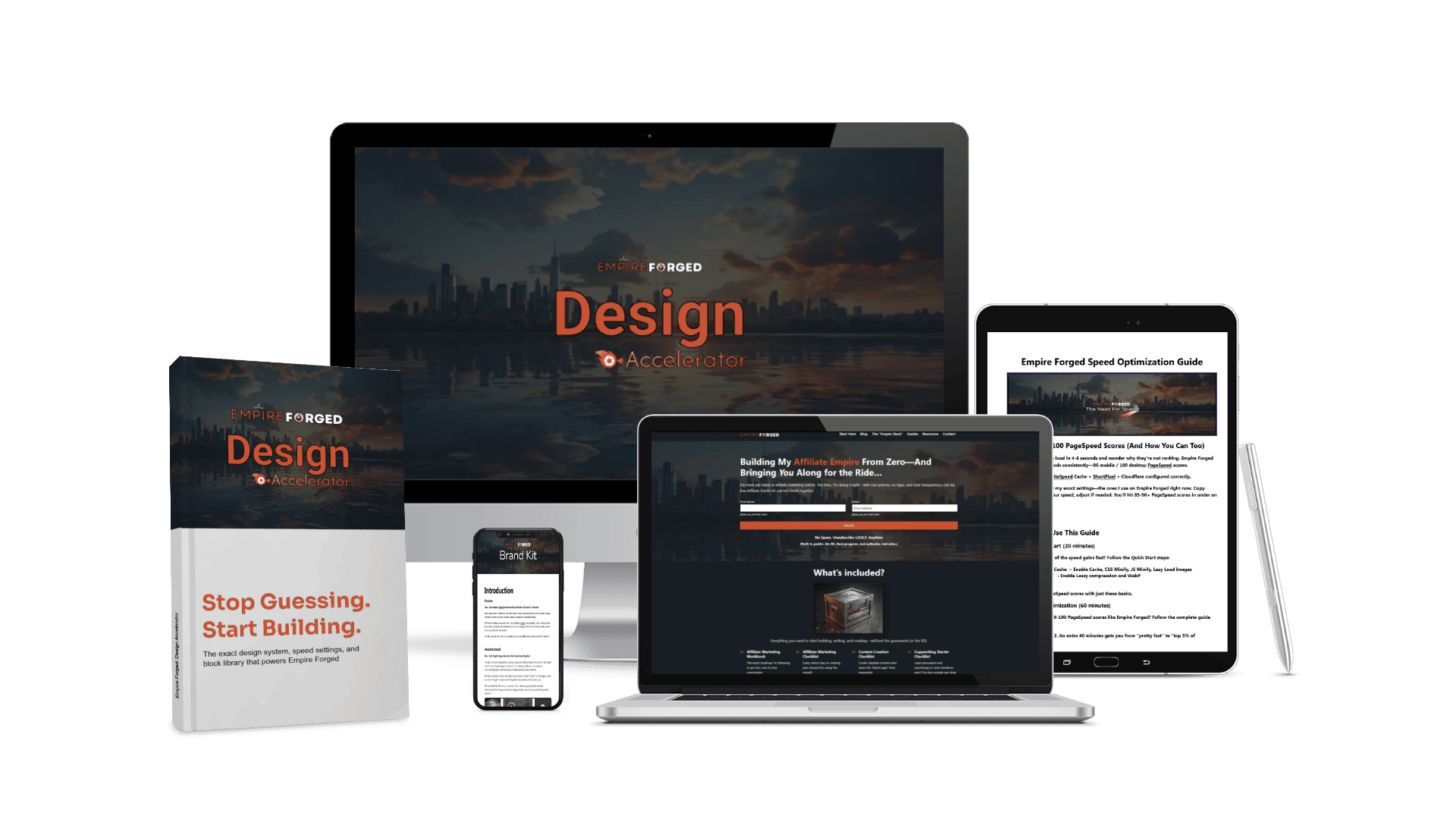
Most people sign up for Hostinger and waste days Googling “how to optimize WordPress” or “how to set up Cloudflare without breaking my site.” They waste time because nobody shows them the exact steps that actually work.
When you sign up for Hostinger through my link, you get the exact setup process I used to build Empire Forged—no guessing, no trial-and-error, just follow the guides and go live fast.
What’s Included
(Free with Your Hostinger Purchase)
Design Accelerator
20% Off Hostinger Hosting
1
85% Off Hostinger Premium
Everything you need to get started.
Design Accelerator
Need For Speed Guide
2
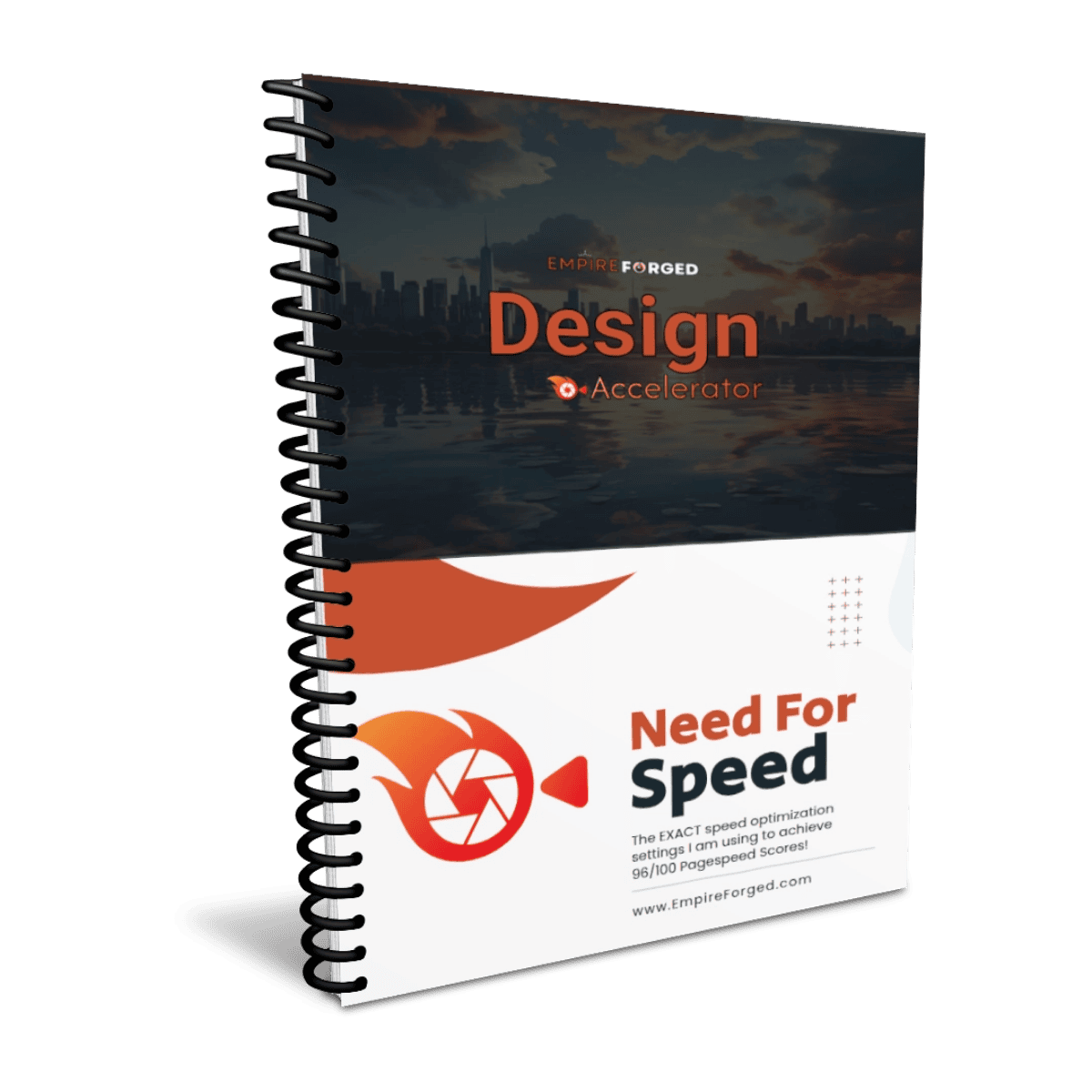
My exact configuration settings for hitting 96/100 PageSpeed scores.
Why This Matters: Hostinger is fast out of the box, but hitting 90+ PageSpeed scores requires specific settings. This guide shows you my exact configuration—copy-paste the settings and you’re done.
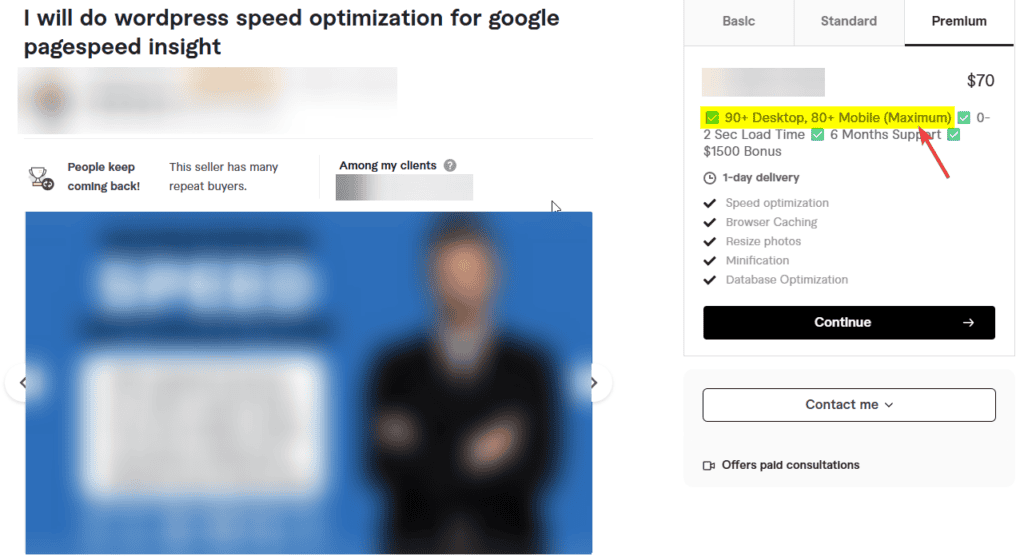
Pricing: Paying for a done for you service can cost upwards of $70+ and they only guarantee an 80 Maximum on mobile! This guide is yours FREE and offers the exact same setup I am using to achieve my 96/100 pagespeed insight scores!
Design Accelerator
Brand Kit Design Guide
3

How I built Empire Forged’s complete brand identity—and the exact process you can use to build yours.
Why This Matters: Most people launch WordPress sites with random colors, inconsistent fonts, and zero brand strategy. Then they wonder why their site looks amateur compared to established blogs. This guide walks you through exactly how I built Empire Forged’s brand identity.
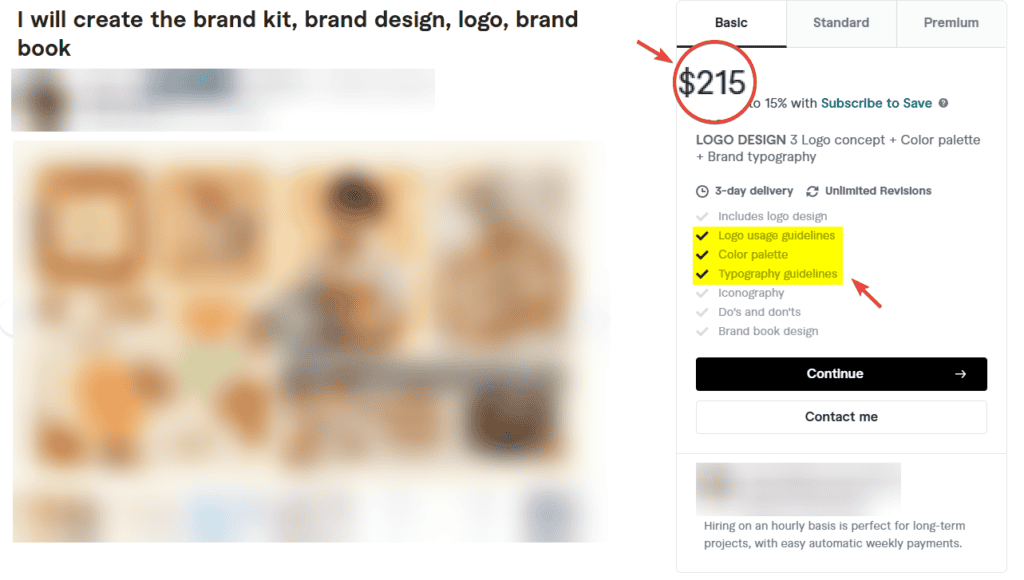
Pricing: Paying for a done for you service can cost upwards of $200+ and that can only cover a FEW of the various design elements every brand needs! This guide is yours FREE and shows you my exact brand kit that I designed entirely in Canva on a $15 subscription plan.
Design Accelerator
JP Themes + JP Blocks Guide
4
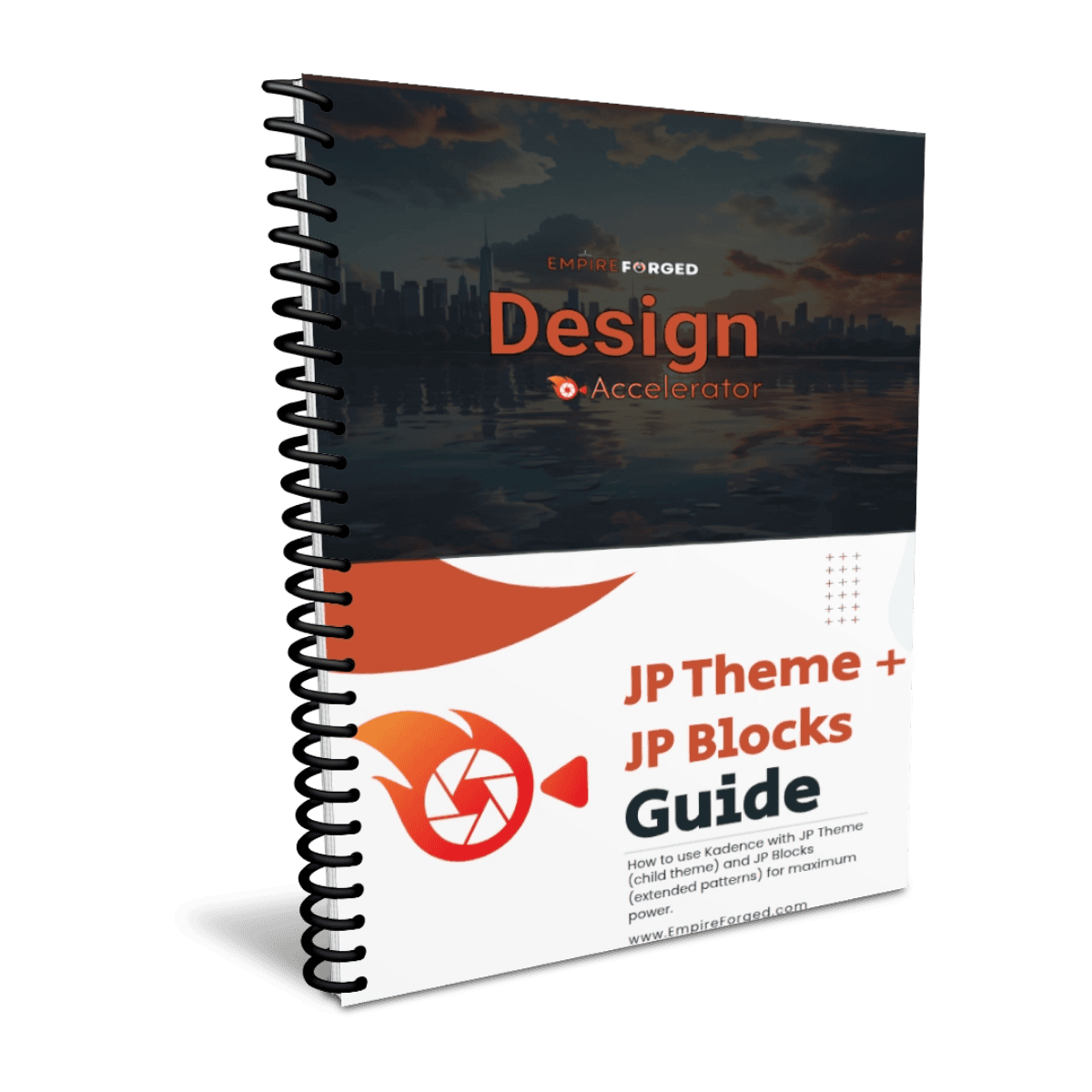
How to use Kadence with JP Theme (child theme) and JP Blocks (extended patterns) for maximum power.
Why This Matters: I wasted weeks building patterns manually that JP Blocks already had. This guide shows you how to integrate JP Theme + JP Blocks from day one—so you’re not rebuilding blocks.
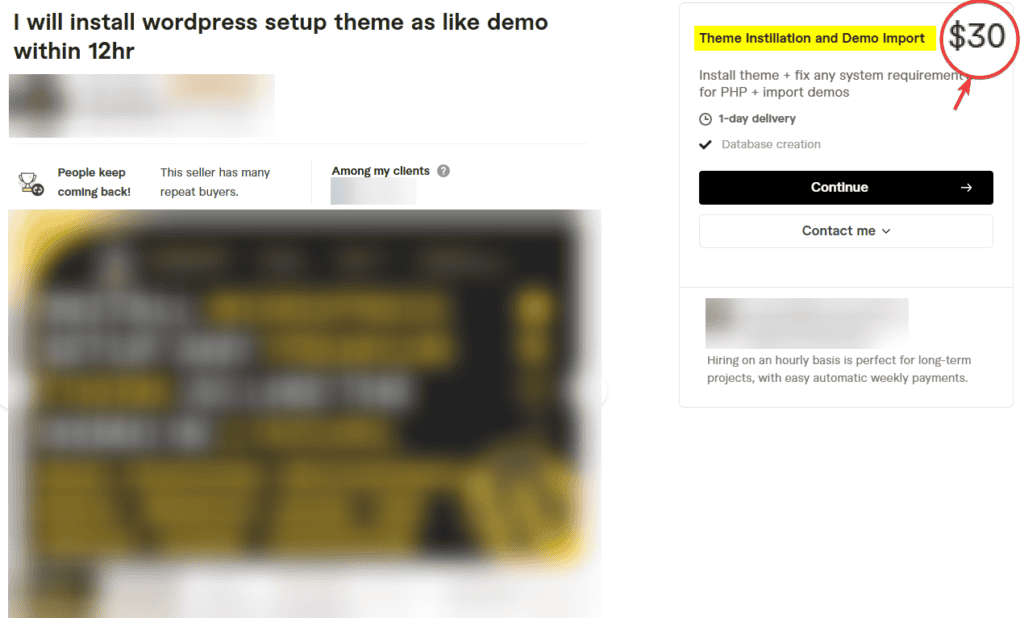
Pricing: For a simple WordPress install and setup of a theme it can cost $30+ (this is such a basic and simple process ANYONE can do it!) This guide not only walks you through the install and setup but also takes a deep dive into the JP ecosystem of ready made pages, blocks, customization features and more! This is yours FREE and shows you my exact setup using the Discover Kadence Child Theme from JP Themes and how I use JP Blocks to build beautiful designs with ease and at INSANE speeds.
Total Bundle Value: $399+
Yours Free When You Sign Up for Hostinger
Here’s how to claim it:
Step 1: Click here to sign up for Hostinger (20% discount applied automatically)
Step 2: Choose your plan:
- Premium Shared ($1.99/month) On a 12-Month Plan
Step 3: Complete your Hostinger signup
Delivery: You’ll receive your bundle via email within 48 hours of claiming. All three guides download directly—no hoops to jump through.
Why I’m Giving This Away
I wasted hours setting up Hostinger—configuring Cloudflare, optimizing LiteSpeed Cache, testing PageSpeed scores and brand design chaos. I made mistakes that cost me time. I figured out what works through trial and error.
You don’t have to repeat that process.
These checklists are the exact steps I wish someone had handed me on day one. They’re the same process I’m using to build Empire Forged from zero revenue—no fluff, no theory, just what actually works.
If you’re serious about building a content marketing blog or personal brand on Hostinger, these guides save you days of Googling and give you a site that’s blazing fast, beautifully designed, and optimized before you even publish your first post.
30-Day Money-Back Guarantee
Don’t like Hostinger? Get a full refund within 30 days—no questions asked.
You keep the Fast-Start Bundle either way. Even if you refund Hostinger, the guides are yours. I’m not taking them back.
Ready to Start Building?
→ Sign Up for Hostinger (20% Off) + Claim Your Fast-Start Bundle
Limited Time: This exclusive bundle is only available to Empire Forged readers who sign up through this review. Once Hostinger changes their affiliate program terms, I can’t guarantee this offer stays available.


